A Living Room That Works for Movies and Conversation
Designing a living room for both film nights and easy conversation requires flexible seating and thoughtful media setup. Learn how to balance sightlines for dialogue and screens, plus how to check guest preferences for captions or newly announced sign-language interpretation on supported titles.
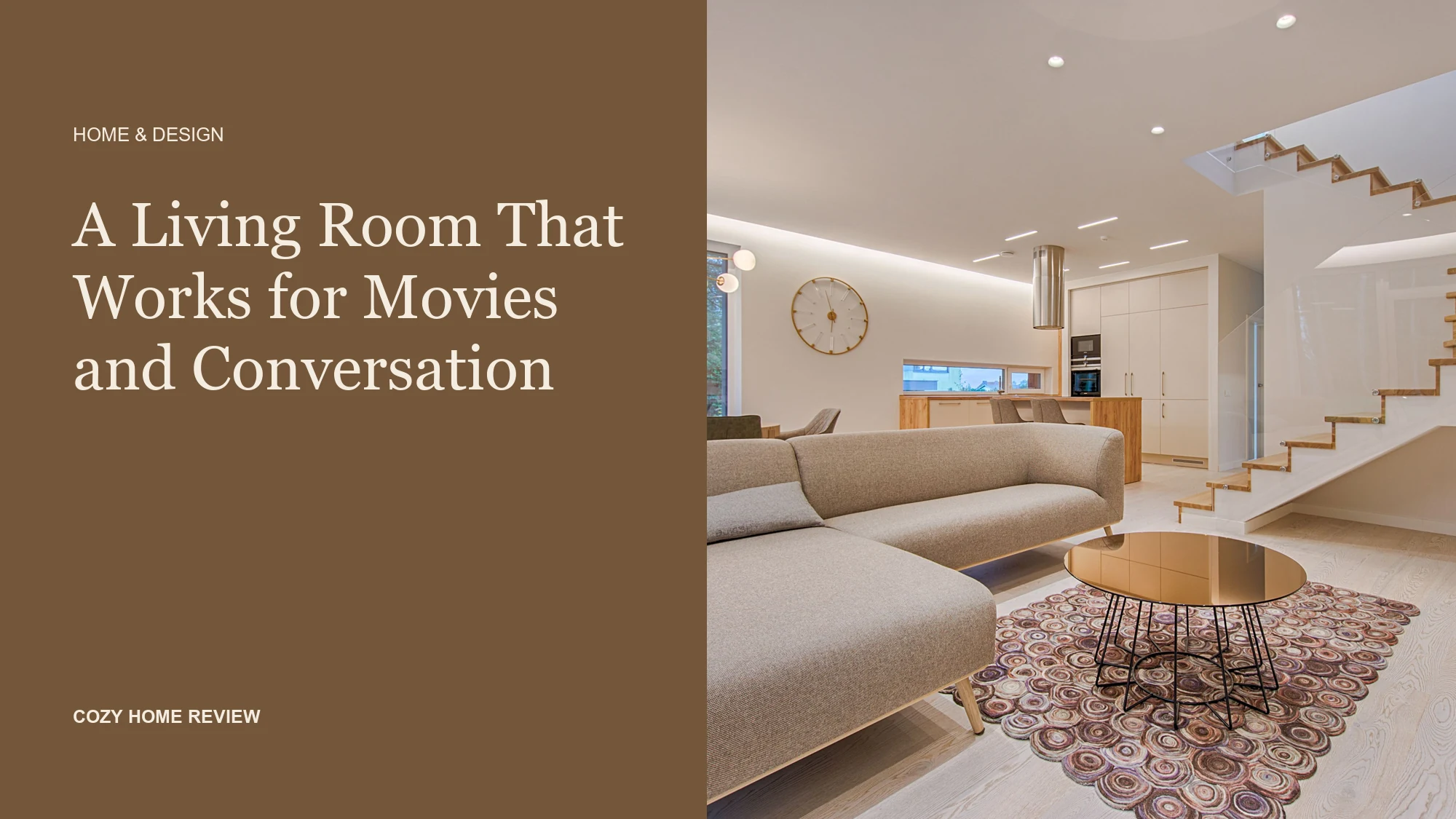
A living room serves both movie nights and lively conversation when seating pivots between screen sightlines and face-to-face angles, supported by a pre-checked media setup. Rather than locking every chair toward the television or forcing guests to crane their necks during a film, you can anchor the room with one primary sofa and movable secondary seating. Pairing that physical flexibility with a quick check on playback options—such as standard captions or sign-language interpretation on supported titles—keeps hosting smooth and welcoming.
Apple announced optional sign-language interpretation for supported Apple TV app titles, starting November 13, 2026. It is a specific viewing option, not a promise that every title, language, or device supports it.
Why Screen-Only Rooms Stall Conversation
When every seat in a living room faces a single wall, guests sit shoulder-to-shoulder like commuters. That arrangement works well once a film starts, yet it makes eye contact difficult during the hour before and after the credits roll. Conversely, a traditional parlor layout with two sofas facing each other across a coffee table encourages dialogue, but leaves half the room twisting sideways to see the screen.
The middle ground relies on dual-purpose zones and lightweight pieces that shift without scraping the floor or cluttering walkways. Paying attention to room scale—and having a clear plan for where extra throws, remotes, and side tables go when the room changes mode—prevents the space from feeling crowded.
Two Layouts That Balance Sightlines and Eye Contact
Instead of buying an oversized sectional that dictates a single activity, consider how your existing pieces can form a conversation triangle that opens toward the media cabinet.
| Layout Option | Best Room Scale | Conversation Setup | Movie Night Shift | Storage & Cleanup Focus |
|---|---|---|---|---|
| The L-Shape with Swivel | Small to medium square rooms | Main sofa faces the screen; one or two swivel chairs sit perpendicular, angled toward the sofa for face-to-face talk. | Swivel chairs rotate toward the television; a lightweight pouf pulls out from under the console for footrests. | Keep a lidded basket beside the chair for extra blankets so floor space stays clear when chairs rotate. |
| The Angled Loveseat Pair | Long or rectangular rooms | Two smaller sofas or a sofa and two armchairs sit in a V-shape, angled slightly toward each other and the center table. | Add floor cushions or a cushioned bench at the open end of the V for direct screen viewing; shift drinks to nesting side tables. | Use a tray on the central table to gather glasses and remotes in one trip after guests leave. |
Sightlines for Visual Media Features
When guests use captions or on-screen sign-language interpretation, unobstructed views of the lower and corner portions of the screen matter. Low-profile coffee tables and clear surfaces help. Before guests arrive, sit in the secondary chairs to check whether stacked books, floral arrangements, or raised ottoman edges block the bottom third of the display.
Setting Up Media Without Guesswork
Accessibility and viewing comfort vary from person to person. On-screen sign-language interpretation, closed captions, subtitles, and audio description are distinct tools, and not every streaming service, regional catalog, or hardware setup supports every mode. Even within the Apple TV app, sign-language interpretation is limited to supported titles and specific languages rather than the entire library.
Rather than assuming what guests prefer—or scrambling through unfamiliar menus while everyone waits in the dark—ask ahead of time and verify your specific device and title beforehand.
Hypothetical Hosting Example: Friday Film & Catch-Up
Consider a hypothetical gathering of four friends catching up over tea before watching Being Heumann. One guest prefers sign-language interpretation, while another likes standard English captions in a quiet room. By texting the group a day early, the host learns these preferences, checks the living room television and Apple TV app ahead of time to confirm which options can run on that specific device and title, and moves a decorative tray off the coffee table so the lower corners of the screen remain completely visible from the side chairs.
Pre-Hosting Room and Media Worksheet
Use this quick checklist before guests arrive to transition your living room from everyday use to a dual-purpose gathering space:
- Confirm the title and playback preferences: Send a casual message when inviting guests. For example: “We are planning to watch [Title] on [App/Device] after we catch up—let me know if you prefer captions, sign-language interpretation if supported on this title, or audio description so I can check our setup beforehand.”
- Verify device and regional support: Open the exact title on the actual television or streaming box you plan to use. Check the language and accessibility menus to confirm which tracks or interpretation overlays are available in your region.
- Test the secondary seats: Sit in the side chairs or angled sofa seats to ensure lamps reduce glare without shining into anyone’s eyes, and confirm that the full frame of the screen is visible.
- Clear the pivot zone: Move cords, pet toys, and fragile decor out of the path where chairs or ottomans will slide when transitioning from conversation to viewing.
- Stage a cleanup tray: Place one empty tray on the side credenza or kitchen counter so you can clear mugs and snack bowls in thirty seconds before dimming the lights.
Before your next gathering, sit in the furthest guest chair in your living room, turn on your television, and check both the angle of conversation toward the main sofa and the visibility of the bottom corners of your screen.
Related reading
Sources and editorial notes
This is a research-based editorial guide, not a hands-on product test. Suggestions and hypothetical examples are our editorial interpretation; current prices, availability and terms should be checked with the provider.
Holiday Table Settings When Your Plates Do Not Match
Give every plate a place before you dress the table. This printable worksheet maps the same four plain plates and two patterned ones…
How to Decorate a Rental for the Holidays Without Hanging Anything
Give each holiday display a spot that leaves room for daily life. Use this placement worksheet to check your building rules and product…
How to Pack Christmas Decorations for Easy Setup Next Year
Choose one Christmas display that feels finished on its own, then pack for that setup first. A printable lid card lists what’s in…